In this video walkthrough, the creator discusses how modern generative AI tools often reduce users to passive button-clickers who outsource reading, thinking, and problem-solving. Observing that this habit destroys attention spans and critical faculties early in the discussion0:06, he presents the core philosophy of riddled0:39: a digital notebook engineered to think with the user rather than think for them. The tool requires user-generated thoughts to occupy the blank page first, using AI exclusively as a cognitive augmentor in the margins rather than a ghostwriter.
The demonstration begins with note-taking for content ideation. In the demo, the creator assigns an antagonistic persona1:20 to the notebook instructions, forcing the AI to challenge premises. As he types a new idea about competitiveness, an animated inkblot pulses in real time to show that riddled is reading proactively2:04 and appending counterarguments in the margin. The user can expand any marginal note into an isolated branching thread without cluttering the primary document body.
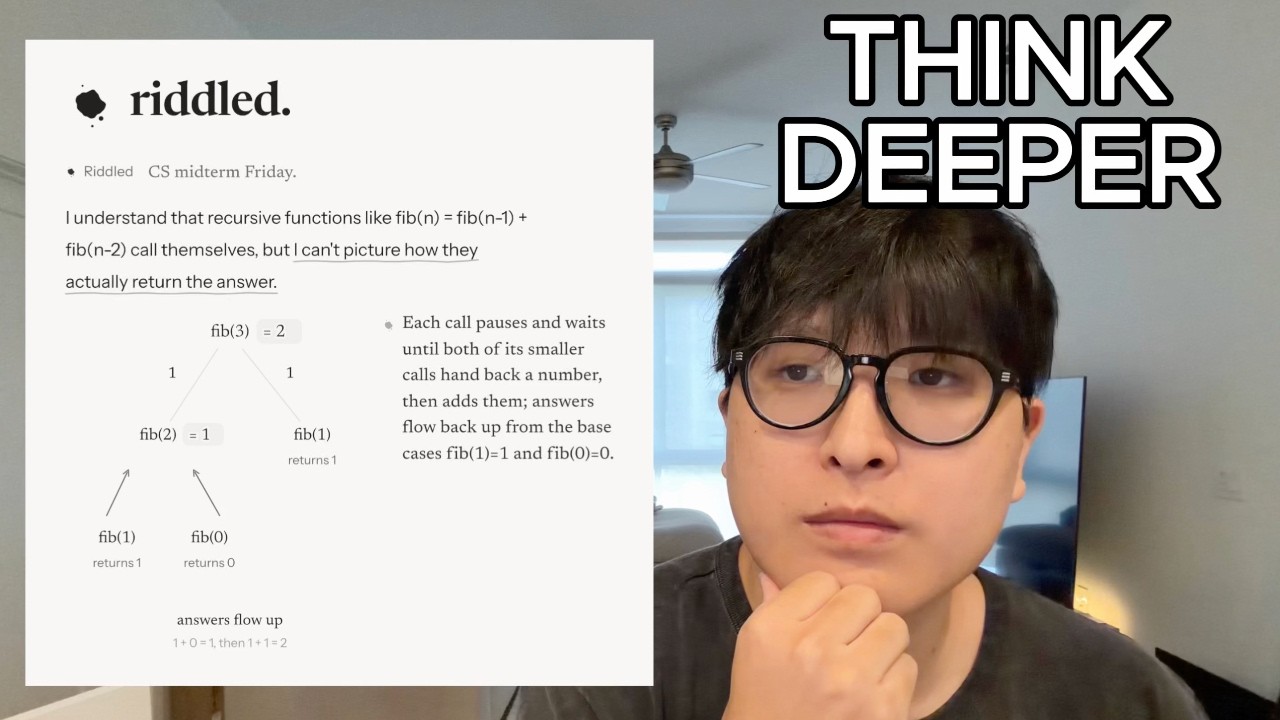
Moving to technical learning, the presenter demonstrates interview preparation on a LeetCode subsequence problem2:20. The assistant acts as an interviewer, highlighting subtle logic errors without giving away the direct answer. To tackle complex algorithms, riddled generates step-by-step visual diagrams3:12 on demand. When asked to help visualize 2D dynamic programming, the assistant generates an interactive, staged grid diagram sketched directly on screen3:32, allowing users to click through stages one through four to internalize subproblem accumulation.
For times when proactive interruptions are undesirable, users can switch from 'Thinks with you' into 'When you ask' mode4:12. Highlighting text summons options to brainstorm, ask specific questions, or generate custom visuals. Additionally, the document chat sidebar4:50 assesses user weaknesses across an entire note and recommends curated LeetCode practice problems. The video demonstrates further applications in college chemistry lecture notes6:01 and physics incline force diagrams6:10.
Finally, the author reviews workflow and export capabilities. Documents can be exported to PDF, Word, or Markdown6:53 with or without AI marginalia. The customization menu7:05 allows adjustments to reading pace, margin layouts, font sizes, ink colors, and dark mode. Wrapping up on the riddled pricing page7:56, the creator outlines the free, $9.99/month Plus, and $19.99/month Pro tiers, concluding with a limited launch code for early adopters.