Avail.video · Watched for you · 5:52 video · 2 min read

Public Speaking Tips for Beginners: Dos and Don'ts

Outlier score336×Breakout

2,744,107 views vs a median of 8,177 across the channel's last 15 long-form uploads · as of Oct 28

Avail.video calculation

Dr. Alex Lyon shares foundational public speaking advice tailored for beginner presenters structured into six clear dos and don'ts. He covers speech structuring, direct eye contact, using minimal speaking notes, keeping presentation slides simple, controlling posture and fidgeting, and projecting a confident voice punctuated by deliberate pauses.

Read the teardown

How it earns the click and holds attention, second by second.

Find in this video

Search what was said and shown

One search covers the transcript, on-screen text, claims and references. Every result jumps to its moment.

    The explainer

    What the video says, with a link to every moment

    A 2-minute read. Each underlined phrase opens the video at that second.

    Stepping up to deliver a presentation can be daunting for novices, but mastering a few core habits can dramatically boost your effectiveness. Dr. Alex Lyon breaks down public speaking essentials into six pairs of practical dos and don'ts designed to build confidence and audience connection. In his introductory advice for rising leaders0:20, he emphasizes that audience engagement and message retention should always be the presenter's primary objectives.

    The first critical principle is to avoid wandering off-topic: rather than getting long-winded and rambling0:57, speakers should prepare a structured outline with an introduction, three main points, and a conclusion1:58. A clear structure with smooth transitions ensures listeners can follow along effortlessly. Next, Lyon addresses eye contact, cautioning beginners against scanning ceilings or floors. Instead, he advises practicing direct eye contact using the rule of one thought, one look3:24, where you hold gaze with an individual listener for half a sentence to a full sentence before moving smoothly to the next person.

    framework
    ONE THOUGHTONE LOOK
    ▶ 2:04
    On screen at 2:04

    Preparation and delivery materials also dictate how connected a presenter remains with the room. Lyon strongly discourages reading from dense, cluttered notes3:56, which causes speakers to appear stiff and robotic. Instead, he demonstrates how to condense notes into short bullet points like a grocery list5:08 to maintain a natural, conversational delivery. Similarly, visual aids should support rather than distract: rather than using complicated slide animations and wall-to-wall text5:30, beginners should stick to clean slides with concise titles and bullet points5:46. He recommends limiting slide usage to just a few per talk and spending no more than two to three minutes on any single visual.

    framework
    RAMBLINGBAD EYE CONTACTCLUTTERED NOTESCOMPLEX SLIDESFIDGETINGTOO SOFT & FILLERSORGANIZED & CONCISEDIRECT EYE CONTACTSIMPLIFIED NOTESCLEAR SIMPLE SLIDESCONFIDENT POSTURE& GESTURESCONFIDENT, LOUD VOICEWITH PAUSES
    ▶ 5:36
    On screen at 5:36

    Finally, physical and vocal presence shape nonverbal credibility. Presenters often succumb to nervous habits like pacing or pocket fidgeting; Lyon recommends adopting grounded, confident posture and purposeful movement5:52, complemented by expressive hand gestures. Vocally, beginners frequently speak too quietly or rely heavily on fillers like "um" and "uh." Lyon urges speakers to project toward the back of the room5:52 and harness the power of silent pauses to let important ideas resonate5:52 before concluding with a full review checklist of speaking habits5:52.
    Highlights
    1. 0:16Introduction by Dr. Alex Lyon
    2. 0:55Don't ramble: be organized and concise
    3. 2:18Direct eye contact and 'one thought, one look'
    4. 3:52Simplified notes over cluttered scripts
    5. 5:25Designing clear, simple slides
    Chapters across the 5:52 runtime

    Dr. Alex Lyon introduces the video's framework, explaining how beginner speakers can elevate their impact by replacing common speaking mistakes with effective habits.

    0:000:55
    • 0:16MomentIntroduction by Dr. Alex Lyon
    How it's told

    A talk-to-camera tutorial contrasting public speaking pairs

    Format: Talk-to-camera. Alex Lyon breaks down six foundational public speaking skills for beginners by pairing common mistakes with practical solutions. Each tip sets up a pitfall before demonstrating the correct technique, ending with a comprehensive checklist.

    Story arc

    1. 0:00Hook and IntroAlex Lyon introduces the tutorial and outlines the format of contrasting dos and don'ts for beginner public speakers.
    2. 0:56Tip 1 - StructureContrasts conversational rambling with an organized, concise outline featuring an introduction, body points, and conclusion.
    3. 1:38Tip 2 - Eye ContactExplains how to avoid a wandering gaze by applying the 'one thought, one look' technique with audience members.
    4. 2:30Tip 3 - Speaking NotesAdvises replacing dense scripts with concise, bulleted notes to maintain a natural, extemporaneous delivery.
    5. 3:24Tip 4 - Visual AidsDemonstrates designing minimal, clear presentation slides instead of text-heavy slides.
    6. 4:12Tip 5 - Body LanguageDemonstrates eliminating nervous fidgeting and aimless pacing in favor of confident posture and purposeful movement.
    7. 5:02Tip 6 - Vocal DeliveryTeaches projecting volume to the back of the room and replacing vocal fillers with deliberate pauses.
    8. 5:36Summary and OutroReviews the complete checklist of six speaking pairs and prompts viewers to comment on which skill they need most.

    Setups and payoffs

    1. 0:48Setup Alex Lyon announces he will present the don'ts first and follow each with its do counterpart.
      ↳
      0:56Payoff Each of the six public speaking tips is structured with a red 'don't' followed by a green 'do'.
    2. 0:41Setup Alex prompts viewers to identify which tip would help them the most and share it in the comments.
      ↳
      5:40Payoff Alex displays the complete checklist and re-prompts viewers to leave their top choice in the comments.

    Devices

    • Contrast FramingPairing common beginner mistakes ('don'ts') with direct solutions ('dos') using color-coded red X and green checkmark badges.0:565:35
    • Visual DemonstrationShowing a cluttered document and contrasting it with a simplified bulleted list.2:413:09
    • Kinetic Visual MetaphorUsing an animated erratically zig-zagging line from A to B to visually demonstrate conversational rambling.1:01
    • Physical EnactmentDeliberately modeling poor body habits like staring away or swaying versus confident stances and purposeful movement.1:434:26

    From the video's own structure, matched to the transcript and on-screen text.

    Teardown

    This video wins on search intent by offering nervous beginners a predictable, two-part framework: show the embarrassing mistake first, then immediately hand them the fix.

    A breakout: 336× its typical views (2,744,107 vs a median of 8,177 across the channel's last 15 long-form uploads, as of Oct 28) · Long-form talk-to-camera · 3,179 days old

    The promise

    Viewers believe they will get a clear, beginner-friendly checklist of what to do and what to avoid when speaking in public.

    Packaging

    How it looks in the feed

    Show the feed as
    5:52

    Public Speaking For Beginners

    Alexander Lyon Communication Coach2.7M views · 8y agoPublic speaking for beginners. FREE 7 Instant Tips for Confident & Composed Public Speaking https://www.alexanderlyon.com/ free-resources If you're just…

    Views and age as of the teardown, Oct 28, 2026. Other videos are blanked out.

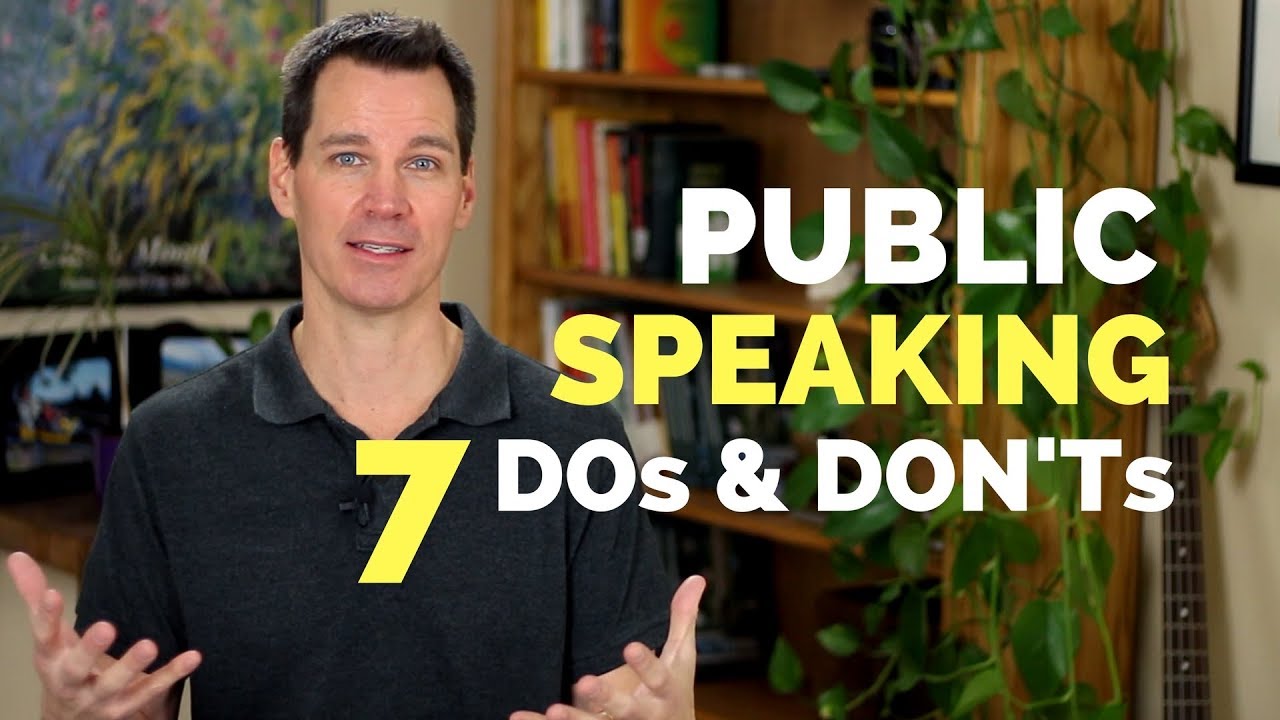
    • 3/5Thumbnail imageThe coach looks straight at the camera with welcoming open hands, establishing an approachable teacher persona. The office bookshelf background is quiet and uncluttered, though it lacks visual drama.A presenter in a grey collared shirt looks into the camera with raised open palms in front of a bookshelf and houseplant.
    • 4/5Thumbnail text“PUBLIC SPEAKING 7 DOs & DON'Ts”The text adds a finite number and a clear contrast framework that the title leaves out. The high-contrast yellow and white lettering remains legible even at small sizes.Large block text stacked on the right reads 'PUBLIC SPEAKING 7 DOs & DON'Ts' with '7' and 'SPEAKING' highlighted in yellow.
    • 4/5TitleIt targets high-volume search intent directly by naming the exact problem and the skill level. It offers zero fluff, giving nervous learners immediate reassurance that the content will be accessible.A simple four-word title reading 'Public Speaking For Beginners'.
    • 4/5Title + thumbnailThe pairing worked by dividing the work cleanly between search clarity and click appeal. The title qualifies the audience while the thumbnail provides the concrete, consumable format.The title names the target audience ('Beginners') while the thumbnail specifies the exact mechanism ('7 DOs & DON'Ts').

    Curiosity gap: Which specific mistakes ruin a speech, and what simple rules guarantee a beginner avoids them?

    The three hooks

    The title, the thumbnail text and the first words spoken each make a promise, and each does a different job.

    • Title“Public Speaking For Beginners”How-toReliefOutcomeIt makes intimidated beginners want an accessible, low-stress starting point for learning how to speak to a crowd.
    • Thumbnail text“PUBLIC SPEAKING 7 DOs & DON'Ts”Number promiseOutcomeLoss aversionIt makes the viewer want a concrete checklist to follow so they do not make embarrassing mistakes on stage.
    • First words spoken“In this video, I'll share public speaking tips for beginners.”How-toOutcomeReliefIt tells nervous speakers that they will get direct, beginner-friendly instructions without being overwhelmed.
    • PairingDifferent jobsThe title attracts search by labeling the audience, while the thumbnail sells a bite-sized framework of seven rules.
    • StakesFitsThe promise promises beginner public speaking fundamentals, and the video delivers exactly six manageable, foundational habits.
    • UrgencyNoneThe video treats the topic as an evergreen foundational skill and avoids manufactured deadlines or false hype.

    The first 20 seconds

    TimeWhat you seeWhat you hearWhat it does
    0:00Presenter Alex Lyon smiling in front of a bookshelf and houseplant.In this video, I'll share...Immediately establishes presenter and topic.
    0:01Presenter gestures with both hands open....public speaking tips...Matches the video title word for word.
    0:02Presenter clasps hands together briefly....for beginners.Qualifies the target viewer immediately.
    0:03Presenter leans forward slightly.So if you're just getting started...Validates the viewer's experience level.
    0:04Presenter gestures outward with open palms....in your stand-up speaking experience...Specifies the exact speaking format covered.
    0:05Presenter clasps hands at chest height....this video is for you.Direct personal confirmation to the viewer.
    0:06Presenter pauses with hands clasped.[brief pause]Creates a brief rhythm break before the transition.
    0:07Presenter smiles and nods.So let's unpack the details.Promises an organized, detailed breakdown.
    0:08Presenter finishes speaking; transition begins.Transition sound effect starts.Wraps the pre-sting hook.
    0:09White screen transition with light flares.Whoosh and digital riser sound.Cleans the visual slate for branding.
    0:10Animated 3D text forming 'Communication Coach'.Chime music cue plays.Introduces channel branding.
    0:11Lion logo appears above the text.Branded audio sting peaks.Reinforces visual channel identity.
    0:12Branded logo animation settles in center frame.Logo music ring-out.Anchors channel brand recognition.
    0:13Sub-header 'Skills for Rising Leaders' appears.Audio sting fades out.Defines overall channel value proposition.
    0:14Cut back to presenter framed at mid-chest in studio.[silence / ambient room tone]Returns attention back to the host.
    0:15Presenter raises hands to welcome audience.Hello there and welcome...Begins standard host greeting.
    0:16Lower-third banner appears: 'ALEX LYON PH.D.'....to this channel, Communication Coach.Displays academic credentials to establish authority.
    0:17Lower-third remains on screen as presenter speaks.If you've never tuned in yet...Addresses first-time viewers.
    0:18Presenter gestures to emphasize channel purpose....this channel...Maintains steady conversational energy.
    0:19Presenter speaks directly to lens....is designed...Leads into channel mission statement.
    0:20Presenter smiles while talking; lower third still visible....to help you...Keeps viewer engaged into the main content.
    Click confirmation
    Yes, instant. Within the first three seconds, the host states the exact title phrase 'public speaking tips for beginners' directly to the camera.
    Time to the point
    0:04
    Hook
    payoff preview
    Reason to stay
    The promise to unpack detailed, beginner-focused public speaking guidance for those just starting out.
    Missing on purpose
    No opening greeting or small talk before stating the topic; the greeting and channel intro are delayed until after the core promise is made.
    Pace and texture
    Measured and professional. Starts with a rapid 8-second verbal promise, cuts to a 5-second branded bumper, and returns to medium-paced talking head with a lower-third title card.

    Story map

    Tutorial. A nervous beginner wants to deliver a presentation without freezing or embarrassing themselves, but default habits like rambling and fidgeting get in the way. Dr. Lyon gives them a concrete six-part contrast framework to replace anxiety-driven mistakes with clear speaking habits.

    TimeSectionNew tensionStakesTurnLoops
    0:00 –0:55Hook and FramingWill this give beginners actionable steps or academic theory?HoldLyon acknowledges that beginners lack stage experience, therefore he will organize the lesson into paired mistakes and solutions.Opens: Which specific dos and don'ts matter most for a beginner?Closes: Confirms the video is exclusively for stand-up speaking beginners.
    0:56 –1:37Rule 1: Speech StructureHow do you stop yourself from rambling when you get nervous?RiseSpeakers often wander off topic, but organizing a distinct intro, body, and conclusion keeps the audience engaged.Opens: What should the speaker do with their eyes while presenting this structure?Closes: Solves rambling with a three-part outline and transition statements.
    1:38 –2:29Rule 2: Eye ContactLooking people in the eye feels uncomfortable, so where should your eyes go?RiseScanning the room feels safer to a beginner, but it disconnects the audience, therefore you must hold one person's gaze for an entire sentence.Opens: How do you remember your content if you are looking directly at people instead of your notes?Closes: Introduces and closes the 'one thought, one look' technique.
    2:30 –3:24Rule 3: Delivery NotesHow do you avoid freezing without writing out a full script?HoldBeginners write full paragraphs out of fear, but that locks their eyes to the paper, therefore they must reduce notes to grocery-list talking points.Opens: What visual aids should accompany these short notes?Closes: Shows the direct contrast between a wall of script and four bullet points.
    3:24 –4:12Rule 4: Slide DesignHow many slides and bullet points are too many for a beginner?HoldSpeakers cram slides with animations and text, but that diverts attention, therefore beginner slides should be limited to minimal text and under two minutes each.Opens: What should your body do when you are not pointing at slides?Closes: Establishes the two-to-three minute per slide rule.
    4:12 –5:01Rule 5: Stance and MovementWhat should you do with your hands and nervous pacing?RiseNerves trigger aimless pacing and hand-fidgeting, therefore movement must be planted and deliberate between distinct thoughts.Opens: How should your voice project while holding this stance?Closes: Demonstrates planted posture versus nervous movement.
    5:01 –5:35Rule 6: Vocal DeliveryHow do you stop saying 'um' and 'uh' when gathering your thoughts?RiseBeginners fill silence with vocal fillers, but silent pauses sound authoritative, therefore quiet pauses should replace fillers entirely.Opens: How do all six rules look when assembled together?Closes: Explains vocal projection to the back of the room and using pauses.
    5:36 –5:52Summary and OutroWhich single skill should the viewer focus on fixing first?FallThe list is complete, therefore the viewer is asked to comment on their personal bottleneck.Closes: Displays the full checklist graphic reviewing all six pairs.

    Payoff: delivered fully at 5:36. The entire 6-part framework is fully delivered and summarized on a single side-by-side graphic table at 05:36. Ending: Lyon displays the full checklist on screen, asks viewers to identify their biggest weakness in the comments, and cuts straight to a clean sign-off.

    Leaks

    Where a viewer might leave. Guesses from watching, not retention data.

    • 0:10 A 5-second branded logo animation and theme chime interrupts the promise before any actionable advice begins.
    • 2:40 The screen cuts to a full-page wall of dense text for 4 seconds that is impossible to read comfortably on mobile.
    • 5:36 Displaying the complete summary table signals the lesson is done, prompting viewers to exit before the final comment prompt.

    Steal this

    1. Frame the failure state before giving the solution Stating the 'Don't' first creates immediate recognition and mild discomfort, which makes the 'Do' feel like practical relief. 0:56
    2. Coil an entire lesson into a four-word rhythm rule Slogans like 'One thought, one look' stick in memory much better than lengthy explanations of audience connection. 2:04
    3. Physically act out the bad habit on camera Demonstrating awkward pacing and looking at the ceiling lets the viewer instantly recognize their own flaws without feeling attacked. 4:15
    4. Side-by-side artifact contrast Showing a cluttered script document next to a 4-line bulleted card proves the concept visually without needing spoken persuasion. 3:09

    Skip this

    • The static 5-second branded intro bumper at 00:10. Modern search viewers often click away during legacy channel intros. Lyon gets away with it because his search authority is already high.
    • Channel mission statement and lower-third credential flex ('ALEX LYON PH.D.') at 00:16. Explaining channel purpose 20 seconds into a video stalls momentum unless the host already holds established domain trust.

    Open questions

    • Why does the thumbnail promise '7 DOs & DON'Ts' when the video and final slide only deliver 6 pairs?
    • Did viewer retention dip significantly during the unreadable wall-of-text slide at 02:40?

    Teardown by Avail.video from the thumbnail, the title, the first 20 seconds and the report's notes on the whole video.

    On screen

    Everything the video showed you

    Slides, frameworks, quotes and formulas, captured verbatim with the moment they appeared. Tap any card to jump there.

    Reference shelf

    People, ideas and things mentioned

    Said means mentioned aloud; Shown means it appeared on screen.

    People1

    • Dr. Alex LyonCommunication coach, author, and host of the Communication Coach channel.0:00Shown0:15Said + shown

    Ideas & frameworks2

    • One Thought, One LookEye contact framework where the speaker holds direct gaze with one person for a complete thought before moving to the next.2:04Said + shown
    • Filler WordsUnconscious vocalizations such as 'um' and 'uh' that speakers are advised to replace with silent pauses.5:06Shown5:09Said

    Organizations1

    • Communication CoachYouTube channel offering communication skills training for rising leaders.0:10Shown0:17Said

    Things on screen1

    • Microsoft PowerPointPresentation slide software referenced for beginner slide design and delivery pacing.3:59Said
    Video description

    A description you can paste into YouTube

    A hook, a summary, chapters in YouTube's format and what the video mentions. Copy it, edit it, and paste it into YouTube Studio.

    1,130 / 5,000 characters
    By the numbers

    What YouTube shows about this video and its channel

    As of Oct 28, 2026. YouTube's public numbers first, then Avail.video's own arithmetic on them.

    The video

    Views
    2.7M
    Likes
    53K
    Comments
    1.5K
    Published
    Feb 12, 2018
    Length
    5:52
    Category
    Education
    YouTube's topics
    —
    Captions
    Yes
    HD
    Yes
    Language
    English
    Paid promotion
    None declared
    Made for kids
    No
    License
    Standard YouTube

    Creator's tags

    • communication training
    • leadership skills
    • communication skills
    • presentation skills
    • communication coach
    • Alex Lyon
    • public speaking for beginners
    • 5 basic public speaking tips
    • 5 tips for public speaking for beginners
    • public speaking classes
    • public speaking tips
    • presentation training
    • public speaking guide
    • public speaking advice
    • public speaking
    • presentation skills for beginners
    • confident public speaking
    • extemporaneous speech
    • public speaking techniques

    The channel

    Subscribers
    807K
    Videos
    608
    Total views
    51.2M
    Channel age
    10 years (since Jan 2016)
    Country
    United States
    Uploads
    about every 12 days
    Across the last 15 long-form uploads
    Before this video
    —

    Calculated by Avail.video from YouTube's public numbers

    Outlier score
    336× · Breakout
    Views against the median of the channel's last 15 long-form uploads
    Views per subscriber
    3.40
    Likes vs the channel's usual
    0.7× the channel's usual
    1.9% of views vs a usual 2.6%
    Comments vs the channel's usual
    0.5× the channel's usual
    0.054% of views vs a usual 0.12%
    Rank among recent uploads
    #1 of 16
    By views: this video and the channel's last 15 long-form uploads
    Take it to your AI

    Ask Claude or ChatGPT about this video

    Copy this report as context, paste it into a chat, then ask anything. It includes timestamps, so answers can point back to the video.

    Then ask
    • Turn the main ideas into a checklist I can use this week.
    • What are the strongest claims in this video, and what evidence does it give for each?
    • Write a short summary for someone who hasn't watched it, linking the key moments.
    • Quiz me on this video, one question at a time, and cite the timestamp for each answer.

    Watched by Avail.video · 2026-10-28