Avail.video · Watched for you · 3:47 video · 1 min read

Why Lumix S9 Real-Time LUTs Are a Game Changer for Content Creators

Outlier score11.8×Breakout

12,856 views vs a median of 1,092 across the channel's last 14 long-form uploads · as of Oct 25

Avail.video calculation

A content creator reviews six months of using the compact full-frame Panasonic Lumix S9, highlighting real-time LUTs as her favorite feature. The built-in LUT button and the Lumix Lab mobile app allow creators to preview and bake custom color grades directly into video footage in-camera, eliminating post-production color grading. Adjusting LUT opacity between 60% and 80% provides tailored, natural-looking aesthetics that boost creative experimentation.

Read the teardown

How it earns the click and holds attention, second by second.

Highlights
  1. 0:00Six months with Lumix S9
  2. 2:34Dedicated LUT button on Lumix S9
Chapters across the 3:47 runtime

The creator introduces her six-month experience with the Lumix S9 and explains the fundamental concept of real-time LUTs.

0:000:42
  • 0:00MomentSix months with Lumix S9
  • 0:17MomentExplaining real-time LUTs
  • 0:32MomentComparing different real-time LUT styles
How it's told

A gear review and workflow demonstration

Format: Talk-to-camera. The creator reviews the Panasonic Lumix S9 after six months of daily use, focusing on how in-camera Real-Time LUTs eliminate post-production color grading. She walks through loading profiles from the Lumix Lab app, setting opacity, and deciding when to shoot with LUTs versus standard profiles.

Story arc

  1. 0:00IntroductionIntroduces the Lumix S9 as her daily camera and frames Real-Time LUTs as its standout feature.
  2. 0:19Real Time LUTs ExplainedDefines how Real-Time LUTs bake color grades directly into footage and how they transfer from a phone.
  3. 0:46Color Grading WorkflowExplains why she avoids grading in post-production, comparing Standard profile footage against LUTs.
  4. 1:07Finding PresetsExplores community presets on the Lumix Lab app and highlights her go-to preset, 'Everything Golden'.
  5. 1:50Camera ControlsDemonstrates the physical LUT button on the camera body and adjusts profile opacity on-screen.
  6. 2:34Professional vs Personal UseContrasts using standard profiles for client deliverables against stylized LUTs for personal video projects.
  7. 3:04ConclusionSummarizes how in-camera grading reduces creative friction and encourages more frequent shooting.

Setups and payoffs

  1. 0:10Setup Identifies Real-Time LUTs as her favorite creative feature on the camera
    ↳
    1:50Payoff Demonstrates the physical LUT button and opacity slider in action on the camera screen
  2. 0:46Setup States her dislike of spending time color grading video in post-production
    ↳
    3:07Payoff Concludes that baking LUTs in-camera reduces mental load and makes content creation easier
  3. 1:36Setup Introduces her favorite community LUT preset, 'Everything Golden'
    ↳
    2:08Payoff Demonstrates how dialing opacity between 40% and 100% fine-tunes the image

Devices

  • Lower-third LUT labelsIdentifies specific LUT presets and opacity percentages directly over sample footage.0:312:08
  • A/B visual comparisonShows sample clips shot in the Standard color profile alongside various stylized LUT profiles.0:541:38
  • Over-the-shoulder interface demonstrationDisplays hands interacting with the camera rear screen and the smartphone companion app.0:191:54

From the video's own structure, matched to the transcript and on-screen text.

Teardown

A concise, low-jargon walkthrough that immediately solves confusion around a hyped camera feature by showing real footage and simple workflow adjustments.

A breakout: 11.8× its typical views (12,856 vs a median of 1,092 across the channel's last 14 long-form uploads, as of Oct 25) · Long-form talk-to-camera · 338 days old

The promise

A viewer believes they will get an approachable, visual explanation showing how real-time LUTs work in practice on the Lumix S9.

Packaging

How it looks in the feed

Show the feed as
3:47

Real-Time LUTs on the Lumix S9: What They Actually Do (Beginner-Friendly Review + Examples)

Sofi Khm12K views · 11mo agoWhether you’re new to Lumix, thinking about picking up the Lumix S9, or just want your footage to look better without spending hours color grading… this…

Views and age as of the teardown, Oct 25, 2026. Other videos are blanked out.

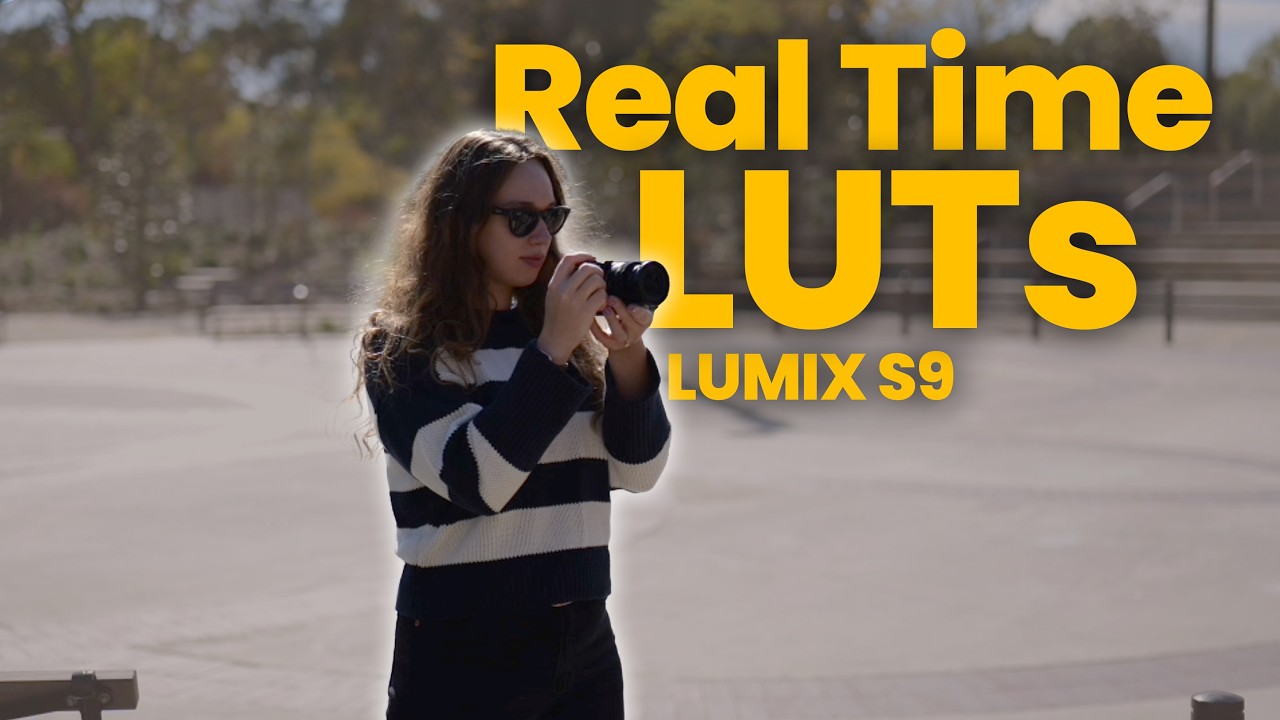
  • 3/5Thumbnail imageThe bold yellow lettering dominates the frame, making the camera and creator feel secondary. The creator is wearing sunglasses and looking away, which hides facial expression and emotion.A woman wearing sunglasses holds a small black camera against an outdoor park background.
  • 3/5Thumbnail text“Real Time LUTs LUMIX S9”The text is instantly legible at small sizes due to high-contrast yellow lettering. However, it simply labels the product and feature without introducing tension.Large yellow sans-serif text reads 'Real Time LUTs LUMIX S9'.
  • 4/5TitleIt targets a specific camera audience and promises clarity with 'What They Actually Do' alongside practical examples. The bracketed descriptor clearly signals that it will not overwhelm novices.Title includes 'What They Actually Do (Beginner-Friendly Review + Examples)'.
  • 3/5Title + thumbnailBoth assets rely on the exact same core keywords rather than dividing the labor. The title carries almost all of the curiosity and value proposition.Both the graphic text and the video title lead with 'Real Time LUTs' and 'Lumix S9'.

Curiosity gap: The viewer wants to know if the headline feature on this new camera is genuinely useful or just a confusing marketing gimmick.

The three hooks

The title, the thumbnail text and the first words spoken each make a promise, and each does a different job.

  • Title“Real-Time LUTs on the Lumix S9: What They Actually Do (Beginner-Friendly Review + Examples)”Curiosity gapCuriosityReliefIt makes confused creators want a straightforward, jargon-free breakdown of a complex camera feature.
  • Thumbnail text“Real Time LUTs LUMIX S9”OtherNoveltyCuriosityIt makes camera buyers and users want to see how the S9's flagship feature looks in real shooting conditions.
  • First words spoken“Lumix S9 has been my primary camera for anything and everything for the past six months.”AuthorityProofCuriosityIt tells gear shoppers and camera owners that they are getting real-world insight from six months of daily use rather than a sponsored first-impressions video.
  • PairingRepeatsThe thumbnail text repeats the camera model and feature name already present in the title rather than creating an open loop.
  • StakesFitsThe video promises a beginner-friendly breakdown of what the feature actually does with examples, and it delivers exactly that without exaggerating its importance.
  • UrgencyNoneThe packaging and narration treat the camera feature as an ongoing creative tool rather than pushing any time-sensitive deadline or breaking update.

The first 20 seconds

TimeWhat you seeWhat you hearWhat it does
0:00Close-up of hands holding a compact blue Lumix S9 camera against grass."Lumix S9 has been my primary camera..."Immediately confirms the product in the title visually and verbally.
0:01Hands rotate the Lumix camera to show the top dials and lens."...for anything..."Shows the compact hardware up close.
0:02Close-up view of the camera top plate and lens barrel markings."...and everything..."Maintains physical focus on the gear being reviewed.
0:03Hands adjust grip on the camera body."...for the past..."Builds anticipation toward the duration of her testing.
0:04Cut to wide shot of creator seated outdoors in a park chair holding the camera."...six months. I use it for work..."Establishes long-term user authority and introduces use cases.
0:05Creator talking directly to camera in the park setting."...I use it..."Keeps conversational flow moving.
0:06Cut to b-roll of the camera rigged on a handheld gimbal on an indoor table."...for travel..."Visually proves work and professional setup.
0:07Cut to scenic landscape b-roll of snowy mountain lodge and pine trees."...I use it for personal shoots..."Shows real-world travel sample footage shot on the camera.
0:08Cut to over-the-shoulder shot of creator taking photos outdoors with the flip screen."...for YouTube..."Shows real-world shooting ergonomics in use.
0:09Creator snapping photos outdoors with houses in the background."...and today..."Pivots from background context to the core topic.
0:10Cut back to creator sitting in chair talking directly to the camera."...I want to talk about this one feature..."Plants a curiosity loop around a standout camera capability.
0:11Creator looks at camera body in lap while speaking."...that makes this camera..."Draws focus back down to the device in hand.
0:12Creator gestures while speaking."...even more fun for me..."Frames the upcoming feature around enjoyment and creative ease.
0:13Cut to dynamic b-roll looking up through towering pine trees with sun flare."...and allows me..."Provides aesthetic sample footage emphasizing creative output.
0:14Tree canopy b-roll continues as camera drifts upward."...to experiment creatively..."Reinforces the visual creative payoff.
0:15Upward angle through pine branches against clear sky."...even more..."Sustains visual immersion before revealing the feature name.
0:16Sun flare shining through green and autumn leaves."...I am talking about..."Builds tension immediately preceding the topic drop.
0:17Cut back to creator sitting in park chair looking into lens."...real-time..."Delivers the core subject matter.
0:18Creator delivers key term directly to audience."...LUTs."Resolves the curiosity gap and states the exact tutorial focus.
0:19Cut to desk shot of hands browsing LUT presets on phone app next to the camera."If you don't know what..."Transitions immediately into beginner-friendly explanation and interface proof.
0:20Hand selects a photo LUT on the phone screen beside the camera."...they are..."Signals step-by-step guidance for beginners.
Click confirmation
Instantly confirmed at 00:00 with a physical close-up of the blue Lumix S9 and the spoken words naming the camera.
Time to the point
0:18
Hook
personal confession
Reason to stay
She sets up real-time LUTs as the single feature that completely unlocked creative fun on the camera after six months of heavy daily use, prompting viewers to see how it works and whether it solves their own workflow.
Missing on purpose
No animated logo intro, no greeting or channel catchphrase, and no early request to like or subscribe.
Pace and texture
Fast cuts every 1 to 3 seconds cycling between close-up hardware, creator on camera, field use, b-roll footage, and the smartphone app interface.

Story map

Tutorial. A creator wants to skip post-production color grading on personal shoots, but camera menus and color spaces are intimidating. By leaning on the S9's physical LUT button and opacity slider, she gets finished, stylized footage straight to her phone.

TimeSectionNew tensionStakesTurnLoops
0:00 –0:19Hook & CredibilityIs the Lumix S9 actually usable as a daily camera, and what makes it special?HoldShe uses it every day for six months, but there is one specific feature that unlocked creative fun for her.Opens: What is the single standout feature that made her daily shooting more fun?Closes: Establishes long-term authority and reveals Real-Time LUTs at 00:18.
0:19 –0:46What Real-Time LUTs Actually AreWhat does this technical buzzword mean for a beginner who does not know color theory?RisePeople think LUTs are complex post-production tools, therefore she defines them simply as camera filters baked directly into the video file.Opens: How does footage look when baked in, and does it ruin usability?Closes: Defines real-time LUTs and demonstrates phone transfer.
0:46 –1:07Standard Profile vs. In-Camera GradingWhy would someone bake color into their footage instead of grading normally?HoldGrading in post takes too much time, but Lumix's Standard profile already looks clean, so she alternates between standard and stylized LUTs.Opens: What specific presets look good without ruining the shot?Closes: Explains why she refuses to color grade in post.
1:07 –1:50Finding Presets & 'Everything Golden'Where do regular shooters get good LUT profiles without making them from scratch?HoldCreating custom looks is hard, therefore she pulls community-made presets directly from the Lumix Lab app.Opens: Can you use these presets without the image looking overly processed?Closes: Names and shows her go-to preset, 'Everything Golden'.
1:50 –2:34Hardware Button & Opacity ControlHow do you keep intense color presets from blowing out skin tones or scenes?RiseFull-strength LUTs can look too aggressive, but dialing the opacity slider down to 60–80% retains natural image quality.Opens: When should you avoid baking LUTs into your footage entirely?Closes: Shows the dedicated camera button and side-by-side opacity comparisons.
2:34 –3:04Client Work vs. Personal ProjectsIs baked-in footage safe to deliver for paid work?HoldLUTs are fast for personal social clips, but clients need clean, standard color profiles.Opens: Does this tool actually improve the shooter's skills long term?Closes: Draws a clear boundary between client deliverables and creative personal shoots.
3:04 –3:47Creative Value & OutroIs the Lumix S9 worth picking up for everyday creators?FallTraditional Log workflows create high friction, therefore removing the grading step leads to shooting more often.Closes: Resolves the overall thesis and asks for viewer questions in the comments.

Payoff: delivered fully at 2:08. She directly demonstrates how real-time LUTs look in action, proving how to tame oversaturated profiles by adjusting the opacity between 40% and 100%. Ending: A gentle summary of how the tool lowers friction to create more content, followed by a direct question asking viewers for their camera questions in the comments.

Leaks

Where a viewer might leave. Guesses from watching, not retention data.

  • 1:07 She pivots from explaining the core camera concept into talking about community apps, which can feel like an app walkthrough if the viewer only wanted camera settings.
  • 2:34 Once she explains opacity and shows the visual result, the technical explanation is essentially finished. Viewers looking purely for a tutorial will drop off as she moves into personal workflow philosophy.
  • 3:30 She uses the explicit phrase 'Anyways, thanks for sticking to the end', which signals to viewers that all informative content is done.

Steal this

  1. Linguistic simplification of technical jargon Explaining a LUT as 'basically like filters that you can select while shooting' strips away intimidation for beginners without alienating intermediate users. 0:24
  2. Side-by-side opacity labeled A/B demonstration Showing the exact percentage on lower-third text (40% vs. 100% vs. 60%) lets the viewer immediately see the tangible difference an in-camera setting makes. 2:08
  3. Fast gear credibility establishment Stating 'primary camera for anything and everything for the past six months' while showing actual travel and gimbal b-roll earns trust in under 8 seconds. 0:04

Skip this

  • Sitting outdoors in a park talking directly to camera while wearing sunglasses. Works here because she cultivates a casual, aesthetic lifestyle vibe, but hiding eye contact behind tinted glasses generally hurts connection for new creators.

Open questions

  • What specific compression artifacts or dynamic range penalties occur when baking a LUT into 8-bit or 10-bit files on the S9?
  • Does loading multiple LUTs into the Lumix Lab app cause pairing lag or transfer issues with the camera body in the field?

Teardown by Avail.video from the thumbnail, the title, the first 20 seconds and the report's notes on the whole video.

The explainer

What the video says, with a link to every moment

A 1-minute read. Each underlined phrase opens the video at that second.

In this video review, a creator reflects on six months of using the Panasonic Lumix S90:00 as her go-to camera for travel, client projects, and YouTube production. Her primary focus is the camera's standout capability: in-camera real-time LUTs0:17. Rather than recording flat log profiles and color grading in post-production, real-time LUTs allow videographers and photographers to apply color profiles directly to footage as it records. Because the color grade is baked into the captured files, content can be shared immediately to a smartphone or computer and edited without secondary color treatment.

While the creator relies on Lumix's standard color profile0:54 for client assignments requiring a clean, realistic aesthetic, she utilizes the Lumix Lab app ecosystem1:49 to experiment with creative looks. The companion mobile app hosts a broad community-driven catalog of downloadable color presets created by filmmakers and colorists. Among these profiles, her preferred preset is Everything Golden2:18, which gives shots a warm, sunny aesthetic reminiscent of golden-hour lighting.

Hardware design plays an essential role in how seamless this process feels on the Lumix S9. Panasonic equipped the camera body with a dedicated LUT button2:34, letting users toggle between presets or preview styles on the screen on the fly. To prevent grades from appearing overly stylized or unnatural, the camera allows operators to adjust LUT opacity3:28. The host demonstrates how scaling down intensity—typically between 60% and 80%—retains natural environmental tones while keeping the intended creative grade.

Ultimately, shooting with in-camera color presets reduces the cognitive friction of video production. By sidestepping traditional workflows like shooting log and grading in DaVinci Resolve3:47, creators can iterate faster and focus on shooting more frequently. As the presenter concludes, the combination of a compact full-frame body and real-time color baking significantly lowers the mental barrier to creative storytelling.

Reference shelf

People, ideas and things mentioned

Said means mentioned aloud; Shown means it appeared on screen.

Ideas & frameworks2

  • Real-Time LUTIn-camera Look-Up Table feature that bakes color grading directly into video and photo files.0:10Said0:19Said + shown0:31Shown1:50Said + shown
  • V-LogPanasonic logarithmic gamma curve designed for maximum dynamic range retention.0:26Shown

Things on screen6

  • Panasonic Lumix S9Compact full-frame mirrorless camera featuring a dedicated physical LUT button.0:00Said + shown1:50Said + shown2:34Said
  • Lumix LabPanasonic mobile companion app used to browse and transfer LUT profiles to the camera.0:19Shown1:07Said
  • Everything GoldenPopular warm-toned community LUT preset available in the Lumix Lab app.1:36Said1:38Said + shown2:08Said + shown
  • Lumix 18-40mm lensCompact zoom lens mounted to the camera body.0:02Shown
  • SmallRig cageProtective camera cage accessory mounted to the Lumix S9.1:54Shown
  • Gimbal stabilizerHandheld motorized stabilizer used for B-roll shoot setups.0:06Shown
Find in this video

Search what was said and shown

One search covers the transcript, on-screen text, claims and references. Every result jumps to its moment.

    Take it to your AI

    Ask Claude or ChatGPT about this video

    Copy this report as context, paste it into a chat, then ask anything. It includes timestamps, so answers can point back to the video.

    Then ask
    • Turn the main ideas into a checklist I can use this week.
    • What are the strongest claims in this video, and what evidence does it give for each?
    • Write a short summary for someone who hasn't watched it, linking the key moments.
    • Quiz me on this video, one question at a time, and cite the timestamp for each answer.
    Video description

    A description you can paste into YouTube

    A hook, a summary, chapters in YouTube's format and what the video mentions. Copy it, edit it, and paste it into YouTube Studio.

    1,065 / 5,000 characters
    By the numbers

    What YouTube shows about this video and its channel

    As of Oct 25, 2026. YouTube's public numbers first, then Avail.video's own arithmetic on them.

    The video

    Views
    12.9K
    Likes
    312
    Comments
    48
    Published
    Nov 20, 2025
    Length
    3:47
    Category
    People & Blogs
    YouTube's topics
    Hobby, Lifestyle (sociology), Technology
    Captions
    No
    HD
    Yes
    Language
    —
    Paid promotion
    None declared
    Made for kids
    No
    License
    Standard YouTube

    Creator's tags

    No tags

    The channel

    Subscribers
    1.8K
    Videos
    139
    Total views
    305.4K
    Channel age
    10 years (since Feb 2016)
    Country
    —
    Uploads
    about every 3 weeks
    Across the last 14 long-form uploads
    Before this video
    —

    Calculated by Avail.video from YouTube's public numbers

    Outlier score
    11.8× · Breakout
    Views against the median of the channel's last 14 long-form uploads
    Views per subscriber
    7.03
    Likes vs the channel's usual
    1.0× the channel's usual
    2.4% of views vs a usual 2.4%
    Comments vs the channel's usual
    0.3× the channel's usual
    0.37% of views vs a usual 1.1%
    Rank among recent uploads
    #3 of 15
    By views: this video and the channel's last 14 long-form uploads

    Watched by Avail.video · 2026-10-22